We want to be transparent about how the yearly membership surveys are handled, who sees it, and the technical steps we take to ensure your feedback is used effectively without compromising your privacy.
1. Data Isolation and Alphabetical Sorting
When you submit a Google Form, the data is automatically imported into a master table in Airtable. However, staff members never see this master table. Instead, the system uses a Summary Tab for internal review.
In a standard spreadsheet, all of your answers are linked across a single row. To prevent staff from "tracing" your identity across multiple answers, we use an automated Summary Tab.
Independent Sorting: The system takes every column (question) and sorts it alphabetically, independent of the others.
Data Isolation: By breaking the row, individual answers stand on their own. Even if a staff member recognizes a specific comment or if you included identifiable details in one answer, they cannot look across the table to see what was said in response to other questions.
Please note all of the responses seen in the below screenshots are for example purposes only and not actual responses.
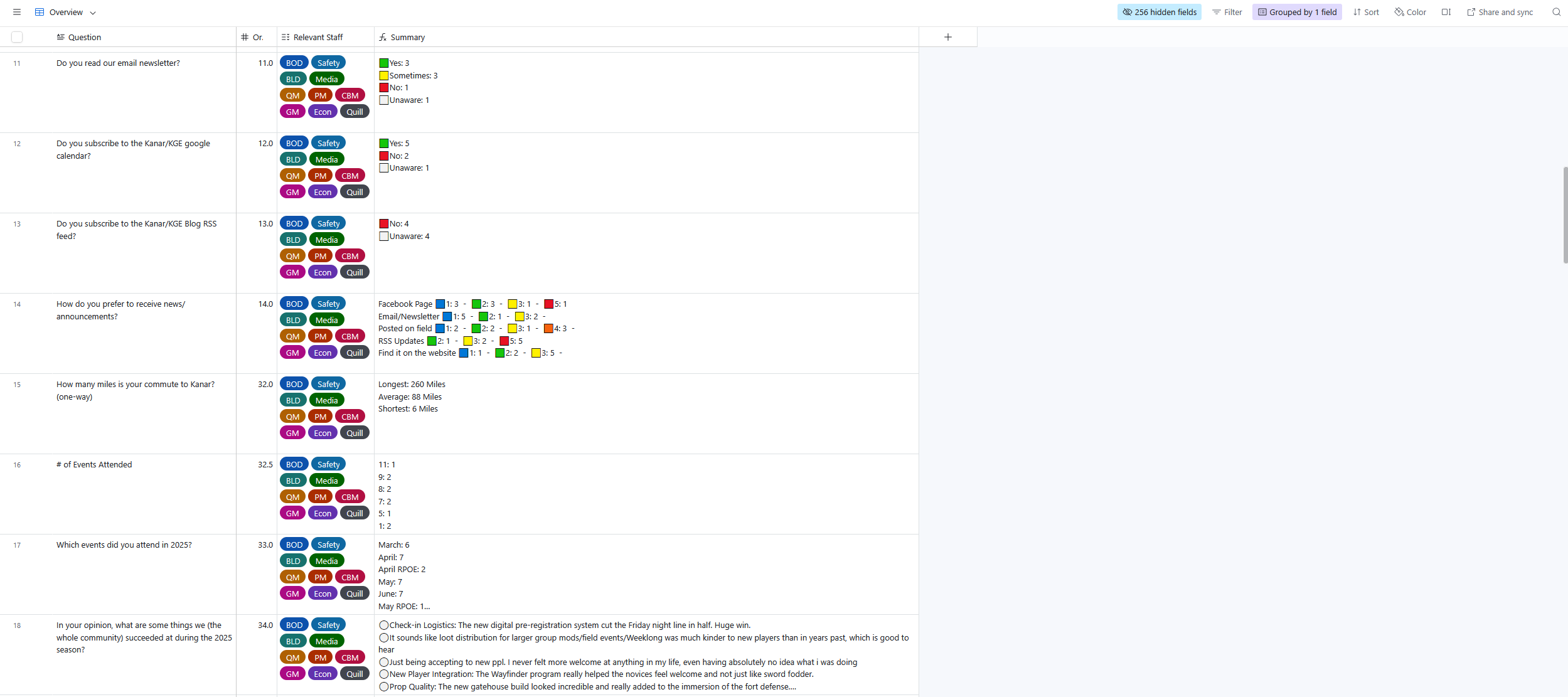
[Snapshot of how the overall summary view]
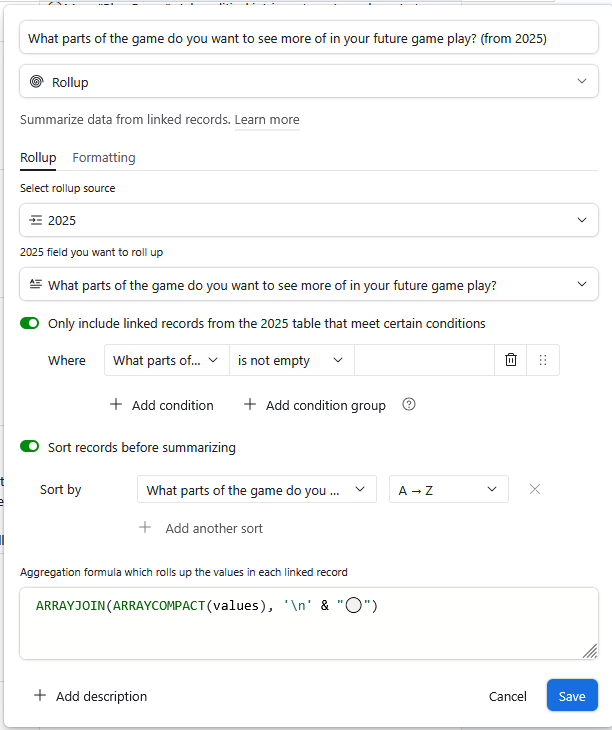
[Rollup field that alphabetizes responses and adds ⚪ to each new response]
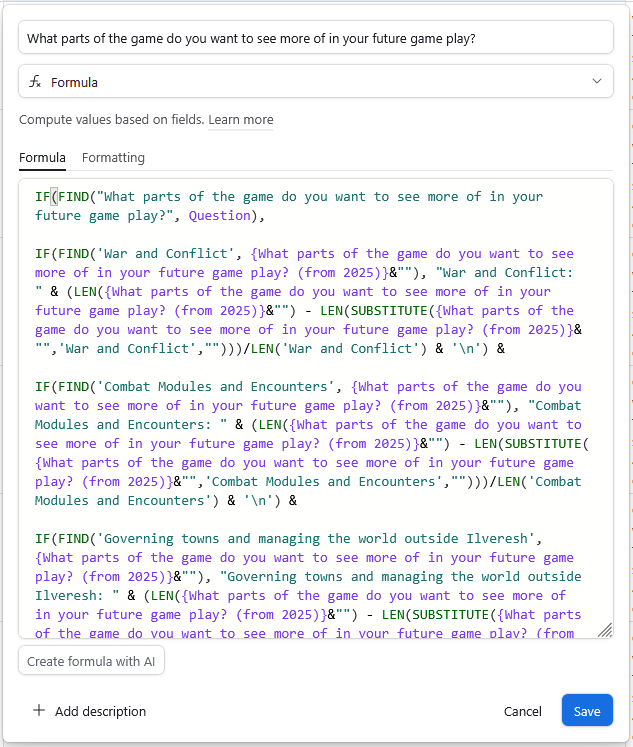
[Example Formula used to parse the input into categories]
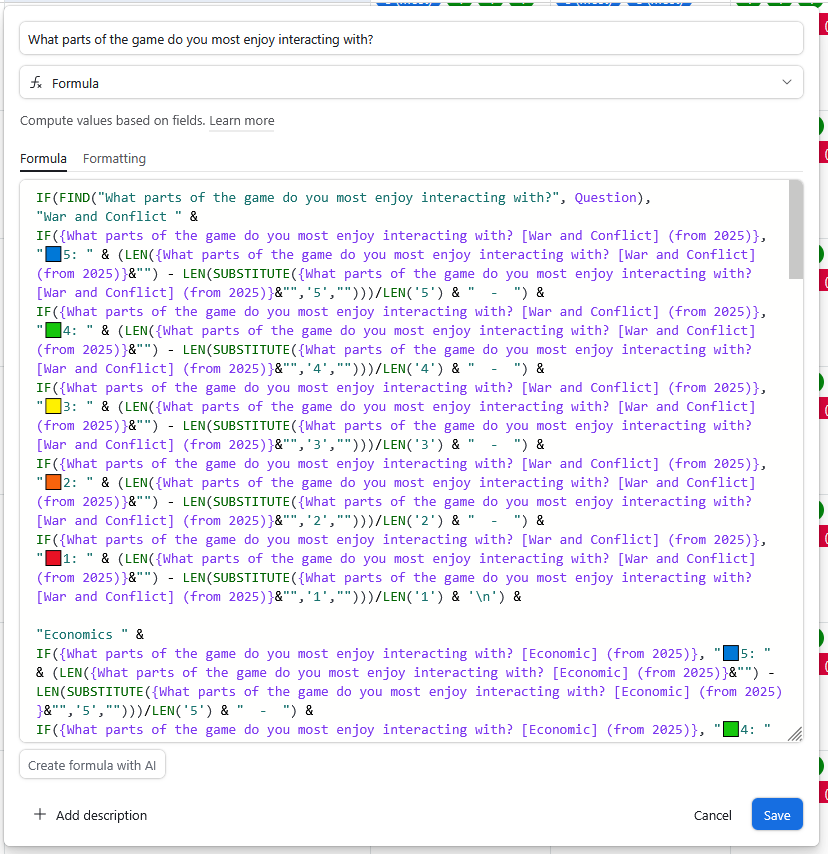
[Additional example of the formulas used to parse the input into formatted summaries]
2. Targeted Departmental Views
We don't show the entire survey to every staff member. Instead, we use filtered views so departments only see what is relevant to their work. Examples being:
Media Team: Sees website feedback and technical suggestions.
Game Master: Sees story preferences and NPC feedback, along with oversight for sub-departments like Econ and Mystic Quill.
Staff Reviews: Each department only sees reviews pertaining to their specific team or sub-department.
This ensures that the people responsible for making changes are the ones reading the relevant feedback.
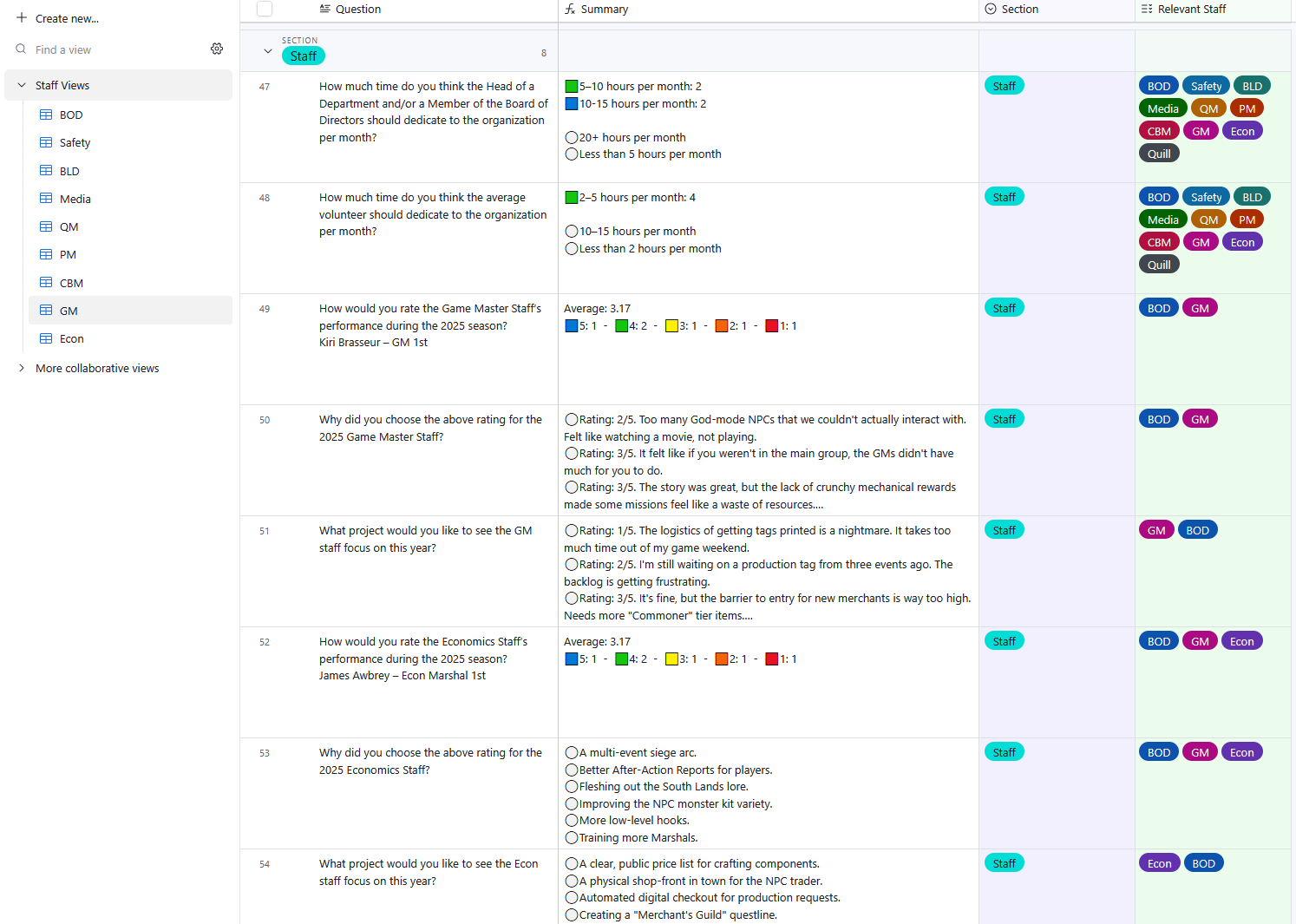
[Department specific views with only their relevant questions]
3. The Follow-Up System
Occasionally, a staff member may want to reach out to a respondent to clarify a suggestion or address a specific concern. We use a "double-blind" automation for this:
The staff member submits the response they want to follow up on into an internal form.
The system searches the master database and identifies the associated email.
An automated email is sent to you along the lines of: "[Staff Department] wants to contact you regarding your response: [Your Quote]. If you are open to a conversation, you can reach them at [Staff Email]."
The staff member never sees your email address. You have total control over whether or not you choose to reply. If you choose not to respond, the staff member has no way of knowing who you are.
4. Accountability and Conduct
Accountability in this system is a two-way street.
Protecting Respondents: This system is designed to ensure you can provide honest, critical feedback about the organization and its staff without fear of retaliation. If you ever feel a staff position has been misused, please follow the conflict resolution steps outlined in our Step-by-Step Guide.
Protecting Staff: While we protect your privacy, this system is not a shield for illegal or unwarranted abuse. Feedback should be constructive or critical, but it must remain within the bounds of community conduct. Harassment, threats, or telling a staff member to self-harm will not be tolerated.
Why Your Input Matters
Your feedback directly determines our policy shifts, staff reviews, and project priorities for the upcoming year. For example, when discussing policy changes regarding NPC requirements this year, we were able to reference feedback from a previous survey.
By using this system, we ensure the data gets to the people who can actually implement your suggestions while maintaining a professional boundary between staff and respondents.
If you have any suggestions or feedback please contact the BOD with your thoughts at bod@kanar.club.